

Healeex Support Center
Ensuring Seamless Experience with Healeex for our Customers
Find clear guidance for setting up, using, cleaning, storing, and troubleshooting your Healeex device. This page helps you use Healeex safely, comfortably, and correctly in accordance with the official User Manual.
Start Here
Before using Healeex, make sure the device is ready, the skin is clean and dry, and the electrode is connected correctly.

Before first use
- Read the User Manual.
- Check that the device, transducer, electrode, cable, charger, and connector are clean, dry, and undamaged.
- Charge the device if needed.
- Use only original Healeex accessories.
- Make sure the skin area is clean, dry, and suitable for application.
- Connect the electrode and keep it in full contact with the skin during use.

Do not use if damaged
Do not use Healeex if the device, glass transducer, cable, charger, connector, or any accessory appears damaged. Stop use and contact support or your authorized service provider.
Safety Before Use
Use Healeex only as described in the official User Manual. The following safety guidance helps prevent incorrect use.
Do not use Healeex if
- You are pregnant.
- You have an implanted electronic medical device, such as a pacemaker, defibrillator, or neurostimulator.
- You have a serious neurological condition, such as epilepsy.
- You have serious heart disease.
- You intend to apply the device directly over the eyes, especially the open eye or cornea.
- You intend to apply the device directly over the thyroid area.
- You intend to apply the device over known blood clots or clot-affected vessels.
- You intend to apply the device over the genital area.
- You intend to apply the device inside body cavities, including oral, anal, or vaginal cavities.

Consult a healthcare professional before use if
- You have or suspect any medical condition.
- You have recently had surgery.
- You have a fresh injury in the intended area of application.
- You have implanted metal devices, such as joint replacements, plates, pins, or an intrauterine device.
- You have inflammation, infection, or open/infected wounds in the intended application area.
- You have been diagnosed with or suspect malignant changes in the intended application area.
- You are unsure whether Healeex is suitable for you.
Device Overview
Your Healeex set includes several components that work together during use.
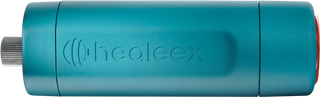
Healeex Unit
The handheld device that houses the electronics, controls, and transducer.
Electrode
The grounding element that completes the energy flow during use. It may be the handheld electrode or the optional self-adhering pad with connection cable.
Charger
The external charger used to recharge the internal battery.
Transducer
The active part of the device that comes into contact with or close to the skin.
Port / DC Jack
The connection point for either the charger or electrode cable.
Charging Indicator
Shows charging status.
Power Regulator
Turns the device ON or OFF and adjusts intensity.
Power Scale
Indicates OFF and intensity levels 1, 2, and 3.
Standby Indicator
Shows that the device is powered on. A green light indicates normal operation. A red light may indicate low battery or that the device requires attention.
Quick Start Guide

Prepare
- Turn the Power Regulator to position 0.
- Make sure the device and accessories are clean, dry, and undamaged.
- Make sure the skin is clean and dry.
- Connect the electrode to the device.
- Hold the handheld electrode or place the self-adhering pad on a suitable area of the body.

Start
- Place the transducer on or near the selected area, depending on the chosen mode.
- Turn the Power Regulator to position 1.
- Start at Level 1.
- Increase intensity only gradually and only if the sensation remains comfortable.
- Keep the electrode in full contact with the skin throughout the session.
- Move slowly and gently.

Finish
- Turn the Power Regulator back to position 0.
- Remove the transducer from the skin.
- Remove or disconnect the electrode.
- Clean and sanitize the transducer.
- Allow the device to cool if needed.
- Store the device and accessories safely in the protective case.
Using the Electrode Correctly
The electrode is required for every Healeex application. It completes the energy circuit and supports correct device operation.
You may use the electrode by
- Holding the handheld electrode in your hand.
- Placing the self-adhering pad on another suitable area of the body.
- Adjusting the electrode position for comfort, symmetry, or practical handling.
Important electrode rules
- Always keep the electrode in full contact with clean, dry skin.
- Do not apply oils, gels, or creams to the electrode site.
- Do not pull, twist, stretch, or strain the electrode cable.
- Do not reposition the electrode while the transducer is active on the skin.
- If repositioning is needed, first lift the transducer from the skin or turn the device OFF.
Modes of Use
Healeex has two main application modes: PLASMA Mode and DEEP Mode. The mode depends on how the transducer is applied to the skin.
Surface Use
PLASMA Mode is used with very light contact or a small air gap over clean, dry skin. Users may notice a subtle glow, soft tingling, light warmth, or gentle buzzing sensation.
How to use PLASMA Mode
- Use only on clean, dry skin.
- Use very light contact or a small air gap.
- Do not press firmly.
- Move gently and slowly.
- Keep the electrode connected and in contact with the skin.
- Avoid the eyes and thyroid area.
- Use short application times.
- Stop or reduce intensity if discomfort occurs.
Do not use before or during PLASMA Mode
- Oils, creams, gels, serums, or conductive products.
- Synthetic materials over the skin.
A thin, clean, dry cotton gauze may be used in specific cases as described in the User Manual. Do not use synthetic materials.
Contact Use
DEEP Mode is used with the transducer placed flat against clean, dry skin. It is applied using slow, gliding, massage-like movements.
How to use DEEP Mode
- Place the transducer flat against clean, dry skin.
- Use slow, gliding, massage-like movements.
- Use light to moderate pressure.
- Keep the electrode connected and in contact with the skin.
- Stay within a pleasant comfort range.
- Reduce intensity if the sensation becomes too strong.
- Stop use if discomfort, irritation, or unusual sensation occurs.
Neutral massage oil may be used only in DEEP Mode, and only when appropriate. Oils, creams, or gels should not be used before or during PLASMA Mode.
Time, Intensity & Frequency
Always begin gently. Start with Level 1 and short sessions, especially if you are a first-time user or have sensitive skin.
| Use Type | Frequency Guideline |
|---|---|
| General wellness use | 2–3 times per week per area. |
| Daily use | 1 session per day per area, if no irritation occurs. |
| Extended use | Daily use for up to 2–3 weeks, followed by a full rest week. |
| Intensive use | Up to 3 brief sessions per day on the same area, only for short-term use. |
Frequency guidelines
| Body Area | Mode | Suggested Intensity | Time per Point | Max Session Duration |
|---|---|---|---|---|
| Face & Neck | PLASMA / DEEP | Level 1–2 | 10–30 seconds | Up to 5 minutes total |
| Body | PLASMA | Level 1–2 | 10–30 seconds | Up to 10 minutes total |
| Body | DEEP | Level 1–3 | 30–60 seconds | Up to 20 minutes total |
Comfort first: If prolonged redness, tingling, sensitivity, irritation, or discomfort occurs, reduce intensity, shorten the session, or pause use.
Comfort & Technique Tips
Start low and go slow
Begin at Level 1 and use short sessions. Increase only gradually.
Keep moving
Move the transducer slowly during use. If pausing, stay within the recommended time for the selected mode.
Use correct pressure
In PLASMA Mode, use minimal pressure or a small air gap. In DEEP Mode, use light to moderate pressure.
Do not remove the electrode
Never disconnect or reposition the electrode while the transducer is active on the skin. First lift the transducer or turn the device OFF.
Avoid unpleasant sensations
Mild warmth, tingling, or vibration may occur. Sharp, strong, painful, or unpleasant sensations mean you should reduce intensity, change technique, or stop.
Use extra care on sensitive areas
For delicate areas, use lower intensity, shorter time, and gentle technique.
Troubleshooting
This section helps you identify and resolve common technical or usage-related issues. If the issue continues, stop using the device and contact Healeex support or your authorized service provider.
Charging & Battery
| Issue | Possible Cause | What to Do |
|---|---|---|
| Charging indicator is OFF and the device is not charging | Device may be ON, charger may not be connected correctly, non-original charger, damaged cable, damaged connector, or unit issue. | Turn the device OFF. Reconnect the charger carefully. Use only the original charger. Inspect the cable and connector. If the issue continues, contact support. |
| Charging indicator is ON, but the battery does not charge | Charger issue, battery issue, or internal unit issue. | Stop charging and contact your dealer or authorized service provider. |
| Charging indicator is OFF, but the device appears to recharge | Charging indicator may not be functioning correctly. | The device may still operate, but contact support for inspection. |
| Device operates only briefly after charging | Battery may not be fully charged, charger may be faulty, or battery performance may be reduced. | Fully charge the device using the original charger. If the issue repeats, contact support. |
Power Indicator / LED Signals
| Issue | Possible Cause | What to Do |
|---|---|---|
| Brief red light appears during startup | Normal system check. | No action is needed if the device then operates normally. |
| Red and green lights alternate | Low battery, poor electrode contact, poor skin contact, damaged accessory, or connection issue. | Recharge the device. Reconnect the electrode. Make sure the electrode has full contact with clean, dry skin. Inspect accessories. Contact support if the issue continues. |
| Continuous red light | Low battery, poor connection, or internal fault. | Fully recharge the device. Recheck the electrode connection. If the red light remains, stop use and contact support. |
| Green light is ON, but the transducer does not activate | Possible transducer or unit malfunction. | Do not attempt repair. Contact authorized service. |
Electrode & Skin Contact
| Issue | Possible Cause | What to Do |
|---|---|---|
| Sensation feels weak or inconsistent | Electrode contact may be poor, skin may be too dry, cable may be loose, or intensity may be too low. | Check the electrode connection. Make sure the electrode has full contact with clean, dry skin. Start at Level 1 and increase only if comfortable. |
| Sudden sharp tingling occurs when lifting or moving the device | The transducer may have been lifted too quickly, or the electrode may have been moved while the device was active. | Lift the transducer slowly. Turn the device OFF or lift the transducer before moving the electrode. |
| No plasma glow appears in PLASMA Mode | Skin may be moist, pressure may be too firm, oils or creams may be present, or the air gap may need adjustment. | Use clean, dry skin. Do not apply oils, creams, gels, or serums. Use very light contact or a small air gap. Reduce pressure. |
| Plasma sensation feels too strong | Intensity may be too high, movement may be too slow, or the area may be sensitive. | Reduce intensity. Move gently. Shorten the application time or stop the session. |
Transducer, Glass & Physical Damage
| Issue | Possible Cause | What to Do |
|---|---|---|
| Transducer glass is cracked or broken | Physical damage. | Do not use the device. Contact your dealer or authorized service provider. |
| Transducer rotates or feels loose | Mechanical stress or excessive force. | Stop using the device and contact support. |
| Plasma discharge is present, but no light is visible | Possible transducer component issue. | Stop use and contact service. |
| Device has exposed, damaged, wet, or chemically affected parts | Impact, moisture, chemical exposure, or material damage. | Stop using immediately. Do not charge the device. Contact support. |
| Device was dropped | Possible hidden internal or external damage. | Inspect carefully. If there is any visible damage or unusual operation, stop use and contact support. |
Do not open, modify, repair, or alter the device or accessories. Service may only be performed by an authorized service provider.
Cleaning, Sanitizing & Storage
Clean and store Healeex after every session.
After each use
- Turn the device OFF.
- Disconnect the electrode.
- Wipe the transducer and electrode with a soft, dry cloth or a lightly dampened cloth.
- A mild alcohol-based disinfectant may be used if appropriate.
- Dry all parts before storing.
- Allow the device to cool if needed.
- Store the device and accessories in the protective case.
Do not
- Do not submerge the device or accessories in water.
- Do not rinse the device under running water.
- Do not use abrasive cleaners.
- Do not use aggressive chemicals.
- Do not store the device in direct sunlight, heat, moisture, or freezing conditions.
- Do not leave the device within reach of children or pets.
Charging & Battery Care
Use only the original Healeex charger.
Charging instructions
- Turn the device OFF.
- Connect the charger to the device.
- Connect the charger to the wall outlet.
- The charging indicator turns ON while charging.
- The charging indicator turns OFF when the battery is fully charged.
- Disconnect the charger after charging.
Battery safety
- Do not use the device while charging.
- Do not leave the device charging unattended.
- Do not charge near water, heat, fire, or flammable materials.
- Do not charge on soft or wet surfaces.
- Do not expose the device to extreme temperatures.
- Do not open the device.
- Do not attempt to remove or replace the battery.
Warranty & Service
Healeex comes with a limited manufacturer’s warranty.
Warranty summary
Healeex is covered by a limited warranty for 2 years from the original date of purchase. This warranty applies to the main device unit when used as intended.
What is covered
The warranty covers manufacturer defects in materials or workmanship under normal intended use. If a defect is confirmed, Synergotron may, at its discretion, repair or replace the product.
What is not covered
- Damage caused by misuse.
- Drops or impact damage.
- Water exposure.
- Attempted disassembly.
- Unauthorized repair.
- Use of incompatible chargers or accessories.
- Normal wear and tear.
- Cosmetic scratches or surface damage.
- Consumable components such as cables, electrodes, pads, and carrying cases, unless a defect is reported upon initial delivery.
How to request warranty or service support
Please prepare the following information before contacting support:
- Full name
- Email address
- Country
- Serial number
- Date of purchase
- Proof of purchase
- Place of purchase
- Short description of the issue
- Photo or video of the issue, if relevant
Frequently Asked Question
Check Before First Use
- Read the User Manual.
- Make sure the device, transducer, electrode, cable, and charger are clean, dry, and undamaged.
- Charge the device if needed.
- Use only original Healeex accessories.
- Do not use if the device, glass transducer, cable, charger, or connector appears damaged.
Do Not Use Healeex If
Read the User Manual.
Make sure the device, transducer, electrode, cable, and charger are clean, dry, and undamaged.
Charge the device if needed.
Use only original Healeex accessories.
Do not use if the device, glass transducer, cable, charger, or connector appears damaged.
If I get a computer virus, can Healeex delete it?
Yes! Did you doubt?
Contact Support
Need help with your Healeex device? Contact us if you have questions about setup, use, troubleshooting, warranty, or service.
To help us assist you faster, include
- Serial number, purchase date, and place of purchase
- Description of the issue
- Photo or video, if relevant
E-mail contact
If you prefer, fill all the information in the following form:
Downloads & Resources
For complete instructions, always refer to the latest official User Manual.
Final Safety Notice
Use Healeex only as described in the official User Manual.
Do not use the device if it or any accessory is damaged. Do not open, modify, repair, or alter the device. Use only original Healeex accessories and charger.
Healeex is intended for general wellness use only and does not replace professional medical advice, diagnosis, or treatment. If you have a medical condition, symptoms, implanted device, recent surgery, injury, or any concern about whether Healeex is suitable for you, consult a qualified healthcare professional before use.

HEALEEX SURVEY
Dear Healeex Users,We hope you're enjoying your experience with Healeex! Your feedback is incredibly valuable to us as we strive to continually improve our product and ensure it meets your needs effectively. Would you kindly take a moment to share your thoughts with us through a brief survey? Your insights will help us enhance the Synergotron experience for you and others.Please click on the following link to access the surveyThank you for your participation and continued support.We look forward to hearing from you!